User avatar
sijmen @sijmen@shrimp.vijf.life
5d
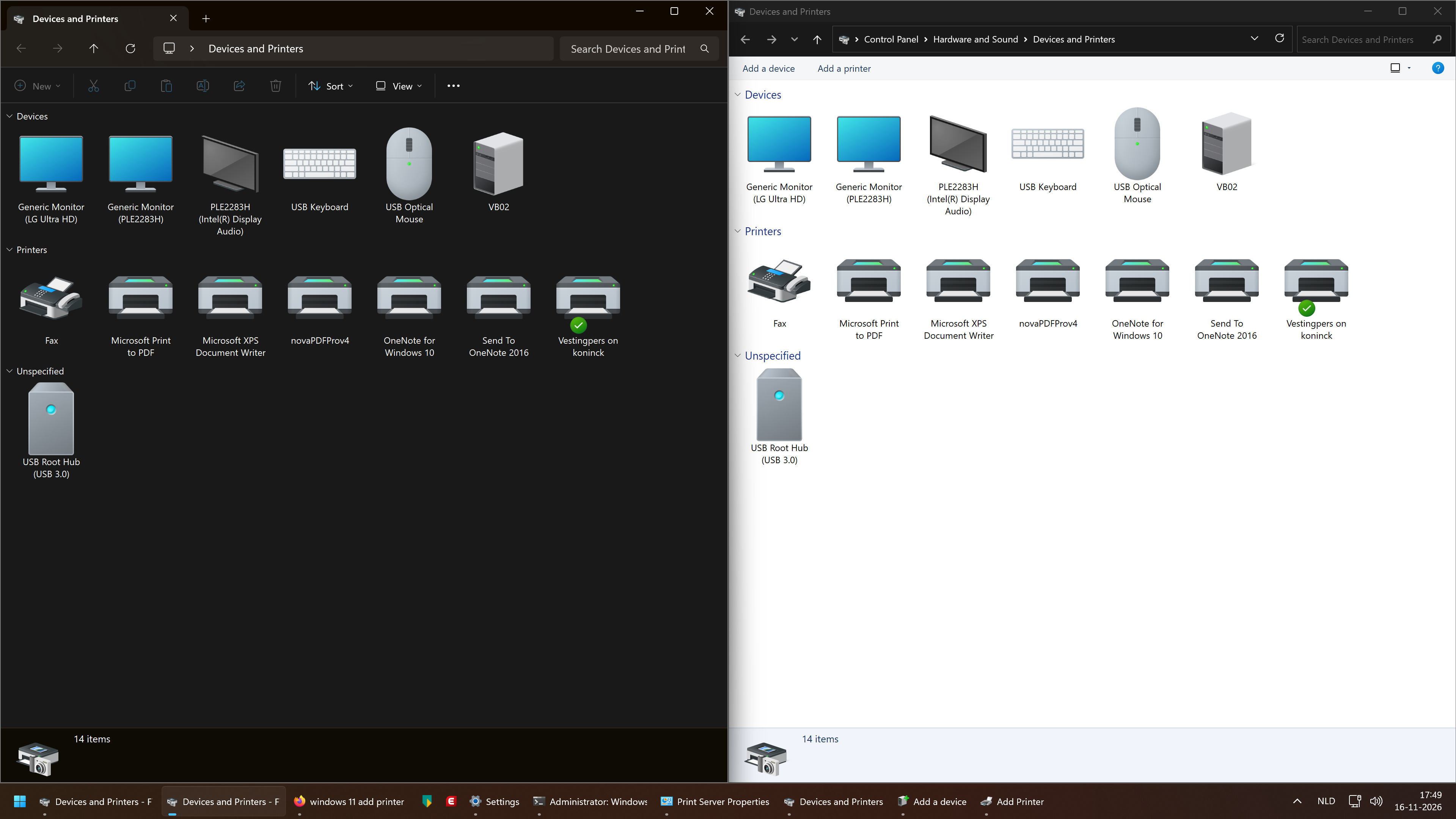
so apparently windows 11 has two versions of the same config panel thing for printers and devices, one (the left one) you access through "Printers & scanners" (the left one), and one you access through "Bluetooth and other devices" (the right one)

the new, left one didn't allow me to manually add a printer, the old, right one did.

fucking windows man
:neocat_floof_explode@neo.tokyonight.city:1:neofox_googly_woozy@akkoma.fennec.town:1
5
13
23
2

User avatar
Ceru @CeruleanDerpo@wetdry.world
5d
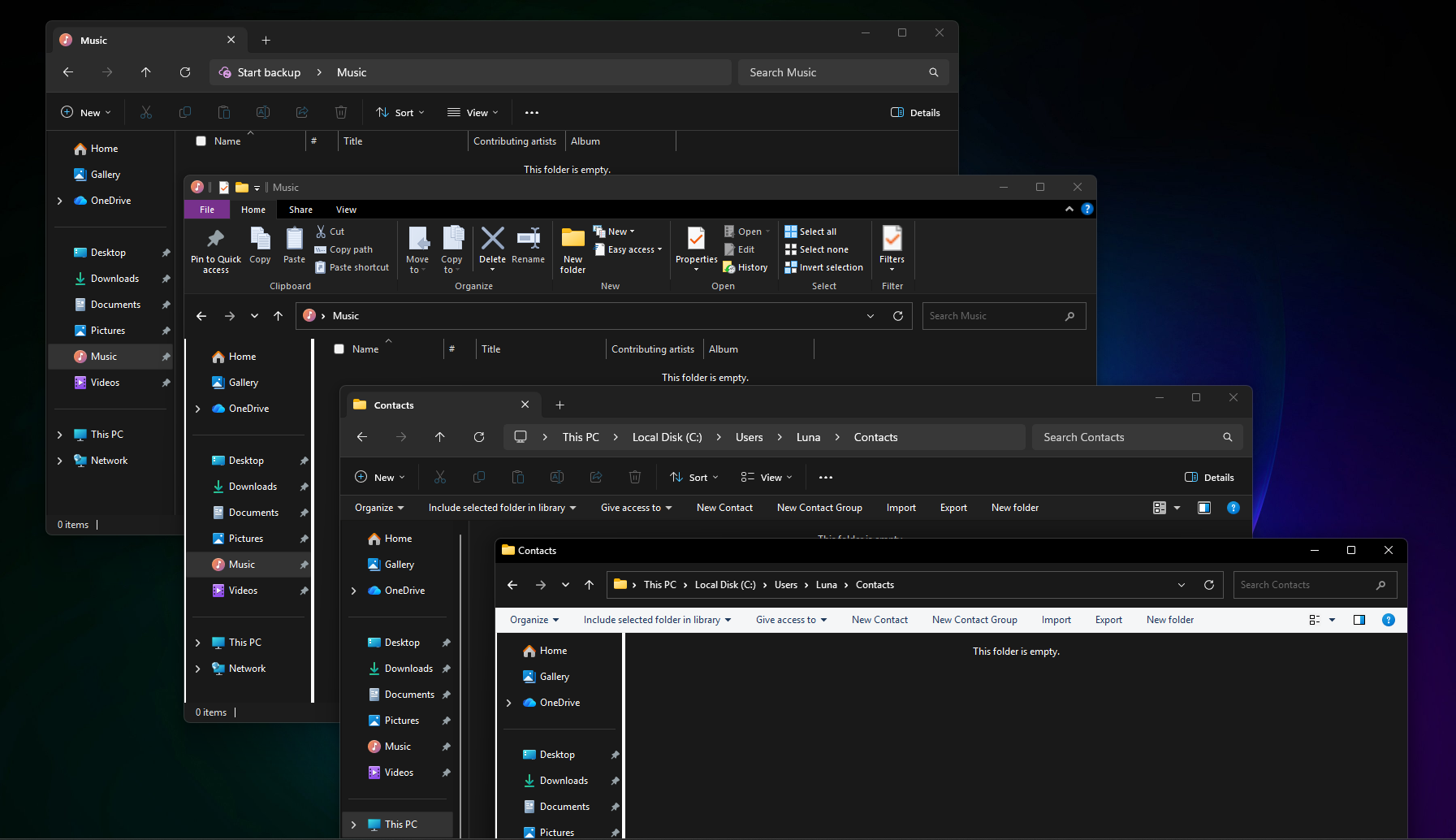
@sijmen actually both are just rendered in the file explorer
when you open the control panel it switches to its old design to not break anything
now try navigating up from the control panel homepage one or two times
0
0
1
0
User avatar
sijmen @sijmen@shrimp.vijf.life
5d
turned out the issue was that a colleague stuck the printer on the incorrect vlan, which put it on a different subnet

it wasn't actually the printer's, or Windows', fault!

0
0
0
0
User avatar
Ronflaix @Ronflaix@mastodon.gamedev.place
5d
@sijmen In the new Windows 11, you should be able to add printers through the Bluetooth & other devices panel in the settings "app"
1
0
0
0
User avatar
sijmen @sijmen@shrimp.vijf.life
5d
@Ronflaix yeah that's what links to the right window. the printer in question couldn't be autodetected because old (it just wants PCL6 over TCP/IP), and the functionality for that (with Windows XP iconography!) was hidden away in there
0
0
1
0
User avatar
Alice neocat_flag_transbian @alice@mk.nyaa.place
5d
@sijmen oh, it has a lot of that actually
0
0
2
0
User avatar
Luna Lactea @jackemled@furry.engineer
5d
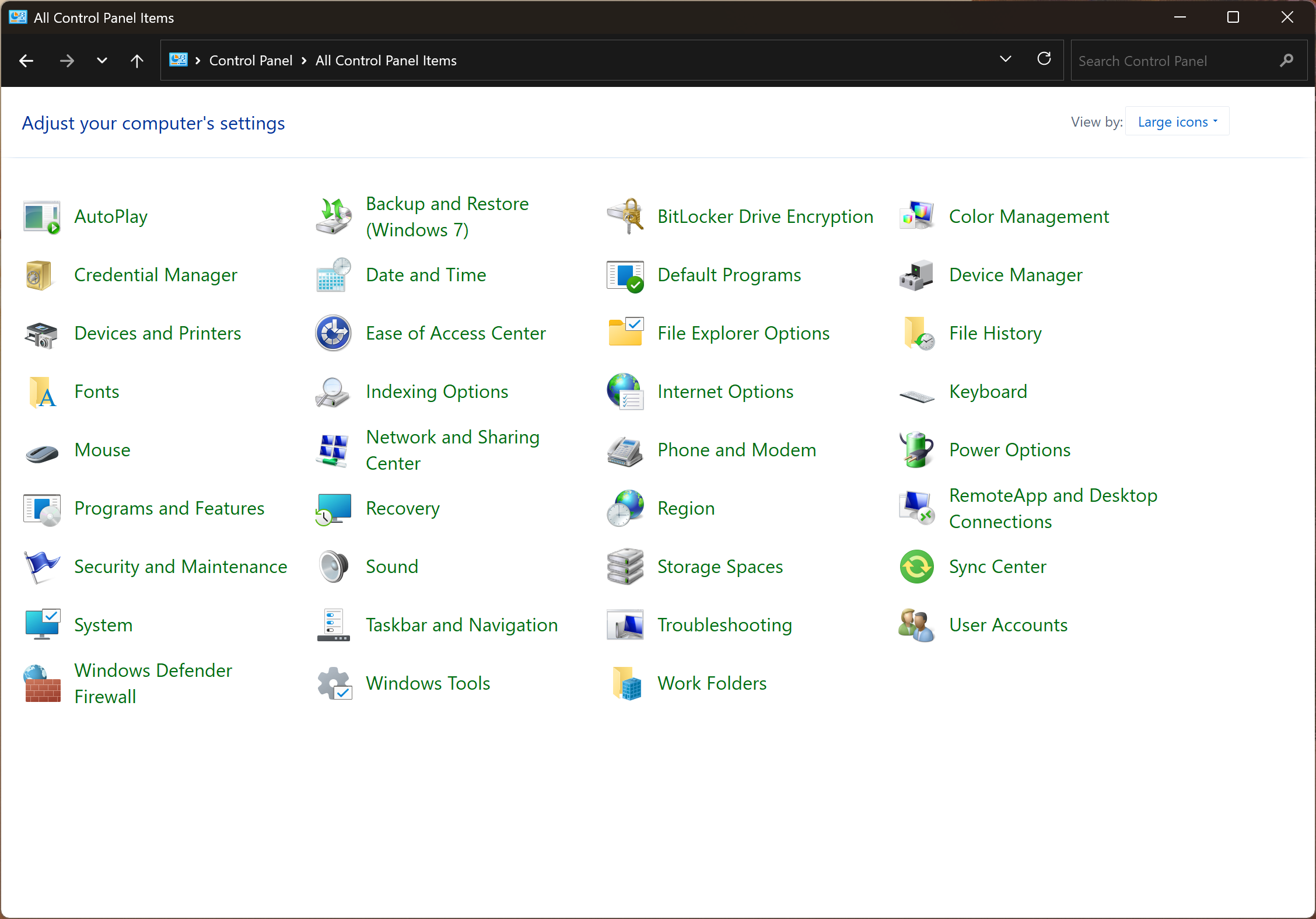
@sijmen Does it still have the Windows 7 system settings & that one configuration page for another thing from Windows XP?
1
0
0
0
User avatar
sijmen @sijmen@shrimp.vijf.life
5d
@jackemled this one?
1
0
1
0
User avatar
Luna Lactea @jackemled@furry.engineer
5d
@sijmen Insane.
0
0
0
0